












CubeCrafter


Installs
10M+Category
OfflineContent Rating
Everyone
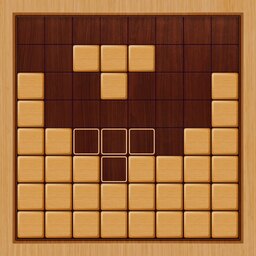
Screenshots
What This Game Is About
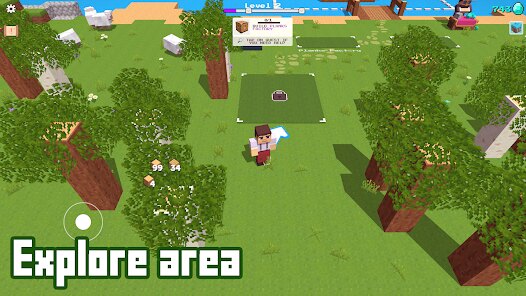
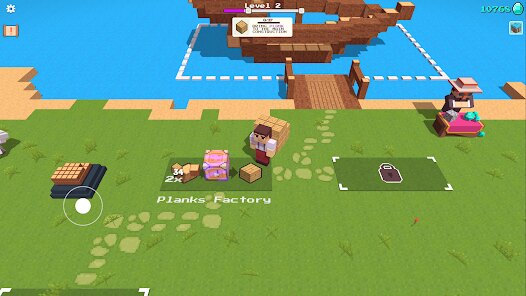
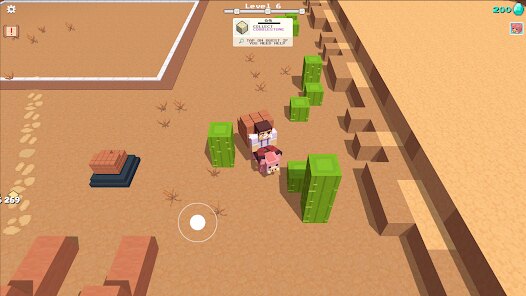
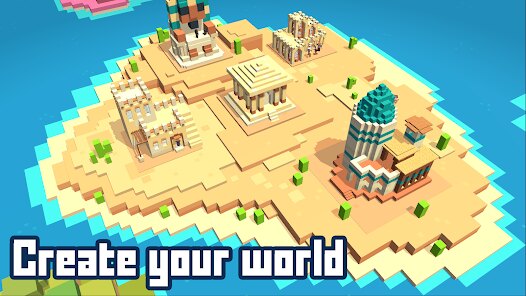
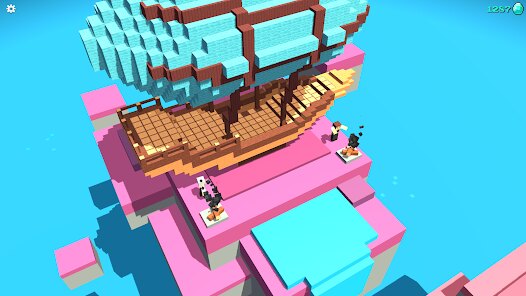
CubeCrafter is a fun building game. You play as a cube character. Your job is to collect blocks and build structures. The game is simple and relaxing. It is perfect for short play sessions. You explore colorful worlds. You find different block types. You use them to create anything you want. The controls are easy to learn. Just tap and swipe to move. The goal is to rebuild a broken world. You fix bridges, towers, and houses. It feels good to see your creations. The game has a calm vibe. Music and sounds are peaceful. It is a great escape from stress. Anyone can enjoy CubeCrafter. It does not need hard thinking. You just build and have fun. The game is free to try. Many players love its style. It is a top choice for creative minds.
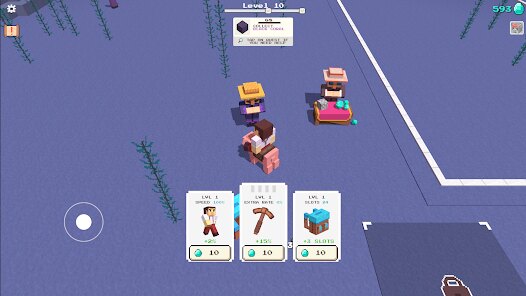
You play CubeCrafter by exploring levels. Each level has a task. You might need to build a staircase. Or you might fix a broken wall. You walk around to gather blocks. The blocks are scattered in the world. You tap on them to collect. Then you go to the building spot. You place the blocks one by one. The game shows you a guide shape. You fill the shape with blocks. When you finish, the structure comes to life. The game has been downloaded millions of times. It is very popular on Google Play. Yes, the game shows ads sometimes. You can watch ads for extra rewards. The ads are not too annoying. You can also remove ads with a purchase. But the free version is still great. You can play many levels without paying.
You can download CubeCrafter from app stores. Get it on Google Play for Android. Get it on the App Store for iPhone. Android players can also get the latest apk on this page and install it. The install process is quick. Then you can play right away. CubeCrafter is like other building games. For example, it is similar to Block Craft 3D. It is also like Minecraft in a simple way. But CubeCrafter is different. It has a fixed goal for each level. You don't build randomly. You follow a plan to restore the world. The graphics are bright and blocky. The pace is slower and more focused. This makes CubeCrafter unique. It is more about completing puzzles. It is less about open world survival. If you like creative games, try CubeCrafter. It offers a nice mix of building and adventure.
How To Get Started?
❓ Where do I download the game?
You can get a free download from Google Play or the App Store. Android players can find the latest apk on this page and install it on their device. After you install, just open the app to play. The download is safe and fast. You will be building in no time. The game does not cost money to start. Many players enjoy it for free.
❓ How do I install it on my phone?
For the apk file, tap on it after download. Your phone may ask for permission. Allow installation from unknown sources. Then follow the on screen steps. The installer will guide you. It only takes a minute. For the app store, just tap 'Install'. The phone handles everything. Soon, the CubeCrafter icon appears. Tap it to begin your adventure.
❓ What will I see when the game opens?
When CubeCrafter opens, you see a main menu. It has buttons for 'Play', 'Shop', and 'Settings'. The background shows a cute cube world. Tap 'Play' to start. You then see a map of levels. Each level is a small island. The first level is already unlocked. Tap it to begin. The game loads quickly. Then you see your cube character ready to build.
❓ How do I control the game?
You control your cube with simple taps. Tap on the screen to move forward. Swipe left or right to turn. To jump, tap the jump button. To collect a block, just walk into it. To place a block, tap the build button. The controls are very intuitive. Even new players learn fast. The game responds well to every tap and swipe you make.
❓ What can I do inside the game?
Inside CubeCrafter, you explore and build. You complete level tasks. You collect special block types. You unlock new worlds with themes. You can also customize your cube. Buy hats and tools in the shop. There is no fighting or time pressure. The main actions are walking, collecting, and placing blocks. It is a peaceful creative experience for all ages.
❓ Can I play on Android or iPhone?
Yes, CubeCrafter works on both Android and iOS. Android users get it from Google Play or an apk. iPhone users get it from the App Store. The game runs smoothly on most phones. The experience is the same on both systems. You can play CubeCrafter anywhere. It is a perfect game for mobile play during breaks or travel.
Download the App
Online Games





Disclaimer
1 . Tikagames does not represent any developer, nor is it the developer of any App or game.
2 . Tikagames provide screenshots, historical version Apk, links and other information, which we collected from Google Play. We will also add our own reviews to provide users with more information to choose.
3 . All trademarks, registered trademarks, brand names and company names or logos appearing on the site are the property of their respective owners.
4 . Tikagames abides by the federal Digital Millennium Copyright Act (DMCA) by responding to notices of alleged infringement that complies with the DMCA and other applicable laws.
5 . We guarantee the security of apk files downloaded from our site and also provide the official download link at Google Play Store and App Store.
6 . If you are the owner or copyright representative and want to delete your information, please contact us [email protected].
7 . All the information on this website is strictly observed all the terms and conditions of Google Ads Advertising policies and Google Unwanted Software policy.